Buyer’s guide
AI Outfit Generator for Fashion Stores: A Guide to In-Store Virtual Try-On
Helping a customer picture an outfit is one of the hardest parts of selling clothes in a physical store. Racks hold hundreds of pieces, fitting rooms are limited, and many shoppers cannot tell which colour or style to try first. An AI outfit generator is one way to help: software that suggests how pieces could come together, so a customer can see the idea on a screen before walking to the fitting room. This guide is for clothing showrooms, boutiques and fashion retailers weighing up the technology for the shop floor.
It is written for buyers rather than technology fans. It explains what the technology is, how it could fit into an in-store customer journey, what to evaluate before you choose, and which capabilities Kannaadi.ai publishes today. Where something is a general industry possibility and not a confirmed Kannaadi.ai feature, the article says so.
What is an AI outfit generator?
An AI outfit generator starts from a piece a customer is interested in and suggests how it could be styled with other items, turning a single garment into a complete look. Its job is combination and inspiration: “what goes with this?”
That is different from virtual try-on, which shows a garment on the shopper. Both are different again from size or fit measurement, which is about whether a garment’s dimensions suit a particular body. In a store the three can work together, but each solves a different problem, so the first question for any vendor is which of them the product actually offers.
How can an AI outfit generator work in a fashion store?
Here is a practical in-store journey. Steps marked “published” are described on the Kannaadi.ai website; the rest is the general pattern you would plan around.
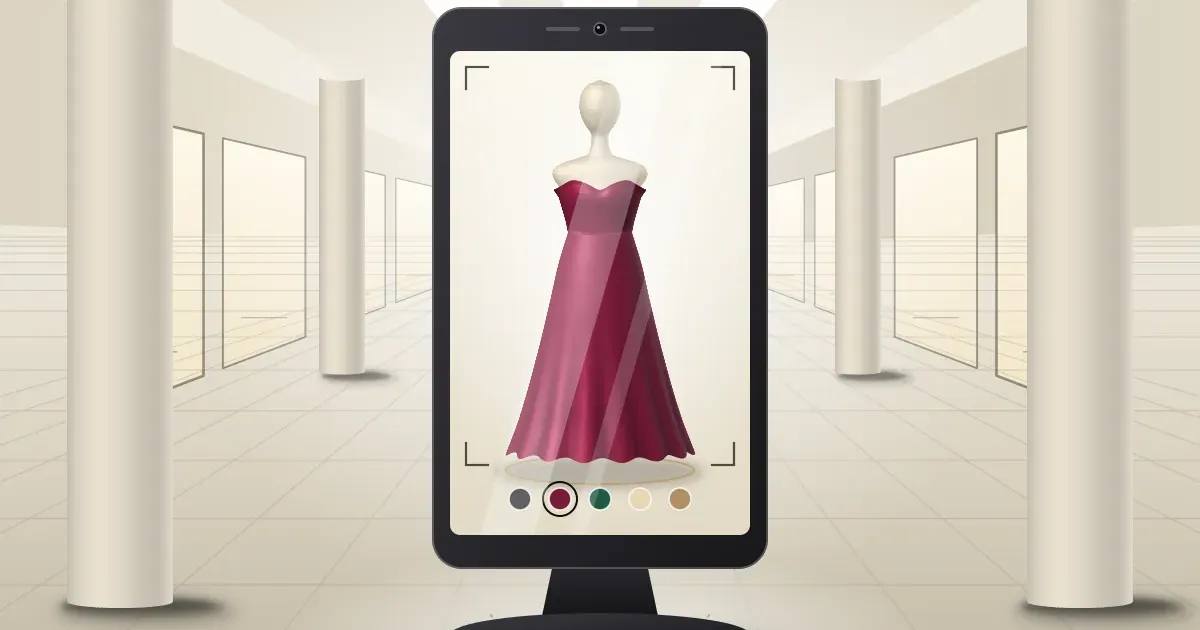
- The customer approaches a screen. A standing, walk-up screen invites them in, with a self-guided flow. (Published.)
- They choose a starting piece. This can be a garment from the store’s range, or a piece brought in by uploading a photo of a dress or scanning a garment from the rail. (Published.)
- The piece is shown on them. The shopper sees the garment on themselves rather than on a model, and can switch colours and looks. (Published.)
- Outfit ideas are suggested. The outfit generator, called AI Looks at Kannaadi.ai, builds ideas around the chosen piece. (Published.)
- A member of staff takes over. Size, fit and the final decision still happen with your team and, usually, in the fitting room. (General pattern.)
For example, a boutique with a small, curated collection might place one screen near the entrance so customers can explore before they browse. A showroom with long rails might place it by the rails so a customer can scan a piece and decide whether it is worth carrying to the fitting room. These are illustrations of how a store could use it, not results from a particular customer.
Benefits of virtual try-on for physical clothing stores
The benefits below are possibilities. Actual results depend on your range, footfall, store layout and how your team uses the screen, and none of them is guaranteed.
- Interactive product discovery. Customers can explore pieces and combinations instead of only looking at the rail.
- More styles explored. An outfit suggestion can lead a shopper to items they would not have picked up on their own.
- A shortlist before the fitting room. Seeing a piece on a screen can help a customer decide what is worth trying physically, which matters when fitting rooms are busy.
- A more engaging store experience. A screen at the entrance or on the floor gives passers-by a reason to stop.
- A better starting point for conversations. Staff can use what the customer has seen to talk about styles, colours and alternatives.
Features to look for in virtual try-on software for fashion stores
Use this list to compare vendors. For each point, ask to see it working with your own garments.
- Image quality and consistency. Do results look believable across different garments, colours and customers, not just in a demo video?
- Categories and options. Does it cover the types of clothing you sell, and how are colour and look options handled?
- Ease of use on a kiosk or screen. Can a customer use it unaided, without sign-up or instructions from staff?
- Customer privacy and image handling. Ask what is captured, where it is processed, how long it is kept, and how customers are informed.
- Speed and reliability. Test it with a realistic queue, in your store’s lighting.
- Staff workflow and maintenance. Who adds new stock, and how much effort does keeping the range up to date take?
- Hardware and software compatibility. Which devices and screens are supported, and how does it sit alongside your existing systems?
- Pricing, support and implementation. Get the cost, setup steps and support terms in writing before you decide.
How to choose the right AI outfit generator for your fashion store
A short buyer’s checklist, in the order most stores find useful:
- Name the problem. Long rails, small fitting rooms, slow browsing or a quiet shopfront each point to a different setup.
- Pick the first categories. Start with the range where choosing is hardest, not the whole store.
- Plan the space. Decide where a screen or kiosk would go and how customers will reach it.
- Ask for a demo with your own pieces. A generic demo tells you little about your range.
- Test real conditions. Lighting, queues and customers of different shapes and heights.
- Check privacy and support. Get answers on image handling, setup and who to call when something fails.
- Decide how you will judge success. Compare against your own baseline, such as how many customers use it and what they do next, not against someone else’s figures.
Why consider Kannaadi.ai for in-store virtual try-on?
Kannaadi.ai is a fashion technology company building AI virtual try-on for retail. According to its website, the experience shows garments on the shopper instead of a model, and it includes a walk-up kiosk experience that can be branded to your store, designed for floors, concourses and exhibitions. Shoppers can scan a garment from the rail or upload a dress photo, and AI Looks builds outfit ideas around a chosen piece. Its boutique, fashion store and shopping mall pages show how the in-store flow is intended to work.
The site says hardware and placement are planned with you around your space and footfall, and that integration details are agreed in a demo. It does not publish pricing, hardware specifications, privacy details or analytics features, so treat those as questions to ask. A sensible way to evaluate it is to bring a few of your own pieces to a demo and run through the checklist above.
Frequently asked questions
Can fashion stores use AI virtual try-on in a physical showroom?
Yes. Virtual try-on can run on a kiosk or screen on the shop floor, and Kannaadi.ai describes an in-store kiosk experience for exactly this. How it is set up depends on your space and range.
What equipment is needed for in-store virtual try-on?
It depends on the product. Generally you need a screen or kiosk, and for photo-based try-on a way to capture the customer’s image. Kannaadi.ai plans hardware and placement with each store, so ask for specifics in a demo.
Will it replace fitting rooms or sales staff?
No. A preview helps customers decide what to try, while fit, tailoring and advice remain with your team and your fitting rooms.
Is it practical for a small boutique?
It can be. Kannaadi.ai says its approach is designed to scale down as well as up, so a single screen or kiosk can extend a small collection. Start with a focused set of pieces and judge the result before expanding.
Conclusion
For a physical store, an AI outfit generator is worth evaluating if customers struggle to picture outfits or to choose what to try on. Judge it on the criteria that matter in your shop: believable previews, ease of use on a kiosk, privacy, reliability, and honest limits on what a preview can show. If you would like to see how this looks with your own pieces, you can book a Kannaadi.ai demo, or read our guide to virtual try-on for clothing stores first.